

A Chrome extension for people who research in tabs
Find anything you've read. Even after the tab is gone.
Muna remembers the pages you read for work. Type the gist of what you remember, and it takes you straight back to the page.
Free during early access. A confirmation now, one invite when it's ready, then launch news only.
"I built Muna after one too many times digging through my history for something I'd read days or weeks earlier." Conner, founder and former product manager
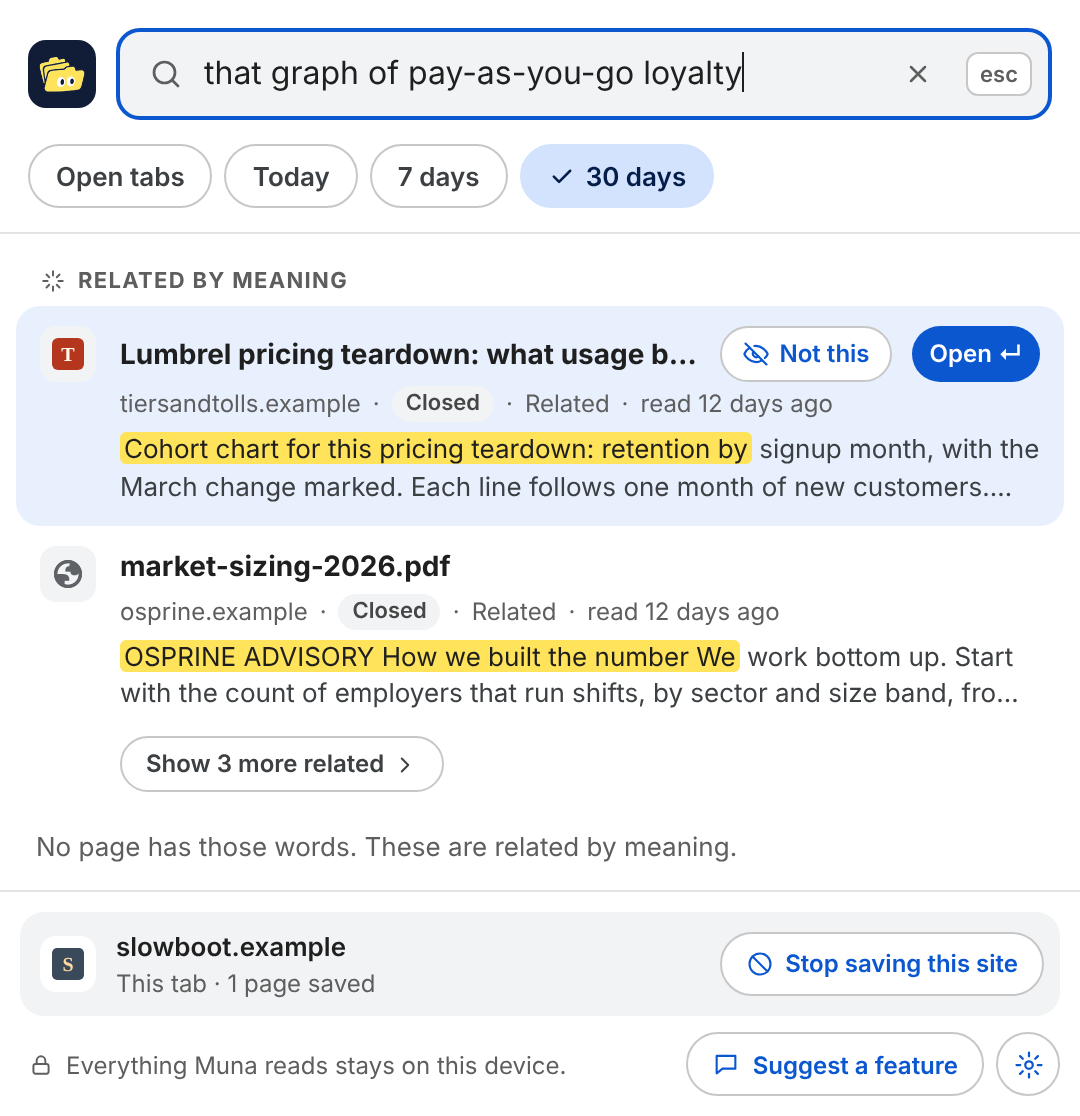
See it in 30 seconds
You read it last week. You need it now. The tab is gone.
Research is sixty tabs: a competitor's pricing page, an analyst note, a PDF someone dropped in a thread. By the time you write the memo, you remember the gist and nothing that helps you find it.
History
Lists titles and addresses, not what the page said.
Bookmarks
Only help if you knew in advance which page would matter.
Searching the web again
Finds the whole internet, not the page you read.
How it works
Three steps. No new habits.
-
Add Muna to Chrome
It works in the Chrome you already use. It asks to read your tabs from a button on its welcome page, never at install.
-
Read the way you always do
Muna keeps the text of the pages you read, in your Chrome profile. Pages with a password box or a card form are skipped, and so are private windows.
-
Type what you remember
Press Ctrl Shift K (Command Shift K on a Mac) and type the gist. Muna finds the page by its words or its meaning, open or closed.
Everything Muna reads stays on this device.
Your reading is yours. Muna has no account, no cloud sync and no server that receives your pages.
- The search model is built in and runs on your computer. It works offline.
- Page text lives only in your Chrome profile, and is deleted 30 days after you close the tab.
- Never trained on. Never sold. One button deletes everything.
Muna's own privacy report
0
pages of text sent off your device
Simple pricing
Free
$0
Keyword search across every tab you have open. Free for as long as you use it.
Pro
Free for a week
$6 a month, or $48 a year
- Search by meaning, when you remember the idea and not the words
- 30-day memory of tabs you have closed
- PDFs you read, including ones on your computer
- Search by time, like "what did I read yesterday"
Questions
Is it really private?
Yes. Muna has no account and no server that receives your pages. The search model runs on your computer, and the privacy report in the options counts every request Muna makes, so you can check it yourself.
Will it slow Chrome down?
Muna does its heavier work while you're away from the keyboard, and pauses on low battery. Searching takes a fraction of a second.
When can I use it?
We're inviting people in small groups, in the order they joined. Join now and you'll get an email when it's your turn.

Stop losing what you've read
Muna isn't in the Chrome Web Store yet. Leave your email and we'll send your invite when it's ready.
We use your email for your confirmation, your invite and launch news. If you answer the optional survey, we may email you to ask about your answers. Privacy policy
Sign-ups go to Loops, which sends our emails. Nothing is sent to Loops until you press Get early access.